Every activity needs a risk assessment. The builder does the heavy lifting — pick your activity and it pre-fills the common hazards, controls and risk ratings. You just tweak them for your actual plan, add sign-off, and you're done. It uses the Scouts Victoria 3×3 matrix and the Hierarchy of Controls.
Open the tool and log in
Top menu → Portals → Risk Assessment Tool, then enter the leader password.
Load an activity template
At the top, choose your activity from Load Activity Template (Bushwalking, Cooking, Water Activities, Pioneering, and 20+ more) and tap Load Hazards. The hazard table fills in with the standard hazards and controls for that activity.
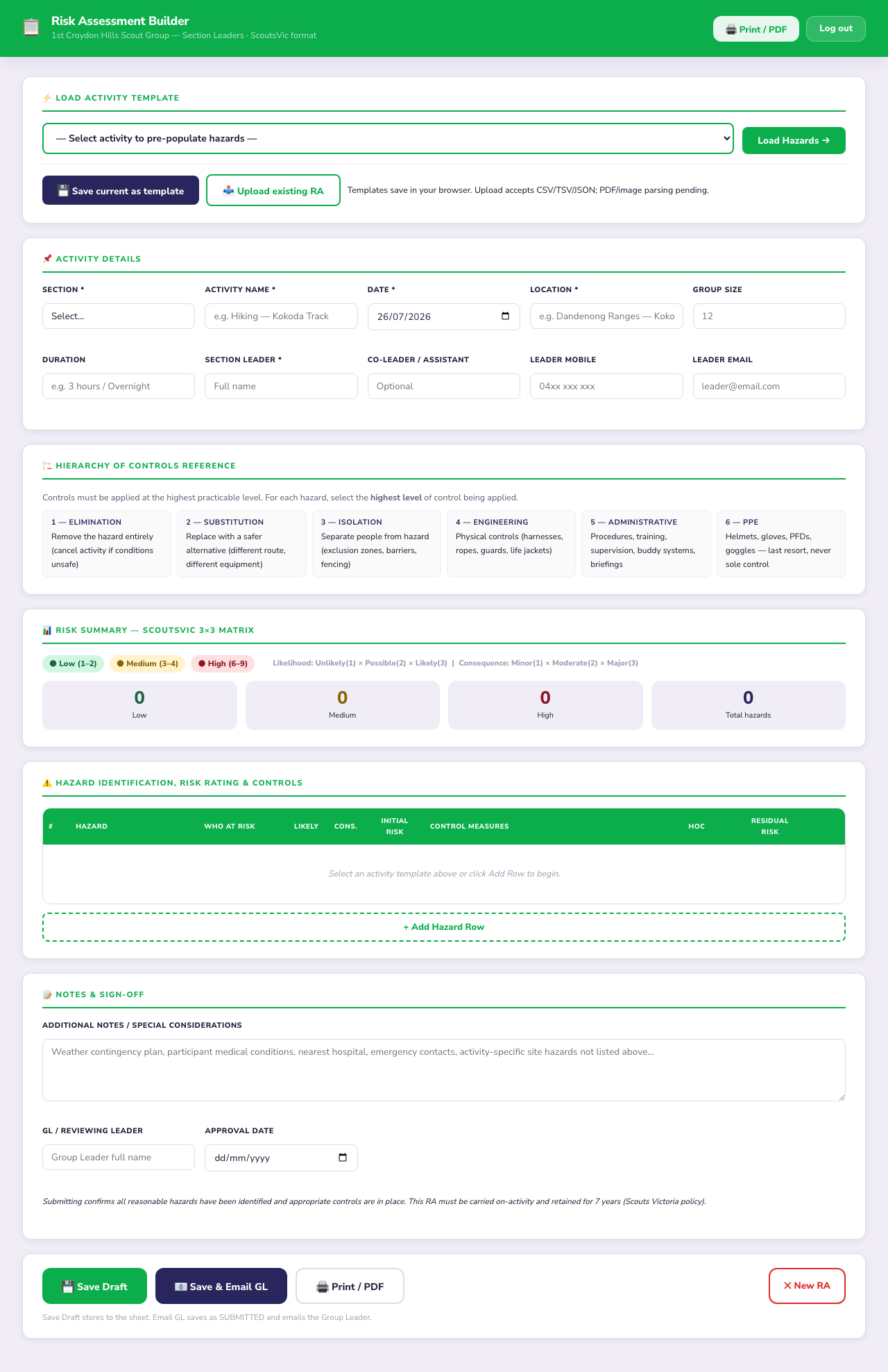
The builder — template loader at the top, activity details, the controls reference, the live risk summary, and the hazard table.
Fill in the activity details
Add your section, activity name, date, location, group size, duration and leader details. These print on the final document.
Adjust the hazards for your plan
Review each hazard row and edit it to match your actual activity — location-specific hazards, weather, the age group. For each one set the Likelihood and Consequence (the risk rating calculates itself) and pick the Hierarchy of Controls level. Use + Add Hazard Row for anything not covered.
- Green (Low, 1–2) — acceptable with the controls listed
- Amber (Medium, 3–4) — extra care / supervision
- Red (High, 6–9) — rethink the activity or add stronger controls
Save, email your GL, or print
At the bottom: Save Draft stores it, Save & Email GL sends it to the Group Leader for sign-off (and marks it submitted), and Print / PDF gives you a clean copy to carry on the activity.