The Gear Booking page shows every item in the store and exactly which dates it's free. You click the days you want across the items you need, then send one request. The Quartermaster confirms by email.
Open Gear Booking and log in
Tap Gear in the top menu (or Portals → Gear Booking) and enter the group password. The page is members-only so our full equipment list stays private.
Find your gear
Items are grouped by category (Trailers, Tents, Hiking, Marquees, Cooking, and more). Use the category pills to filter, and the Prev / Next buttons to move through the calendar weeks. A green dot means that item is available on that day.
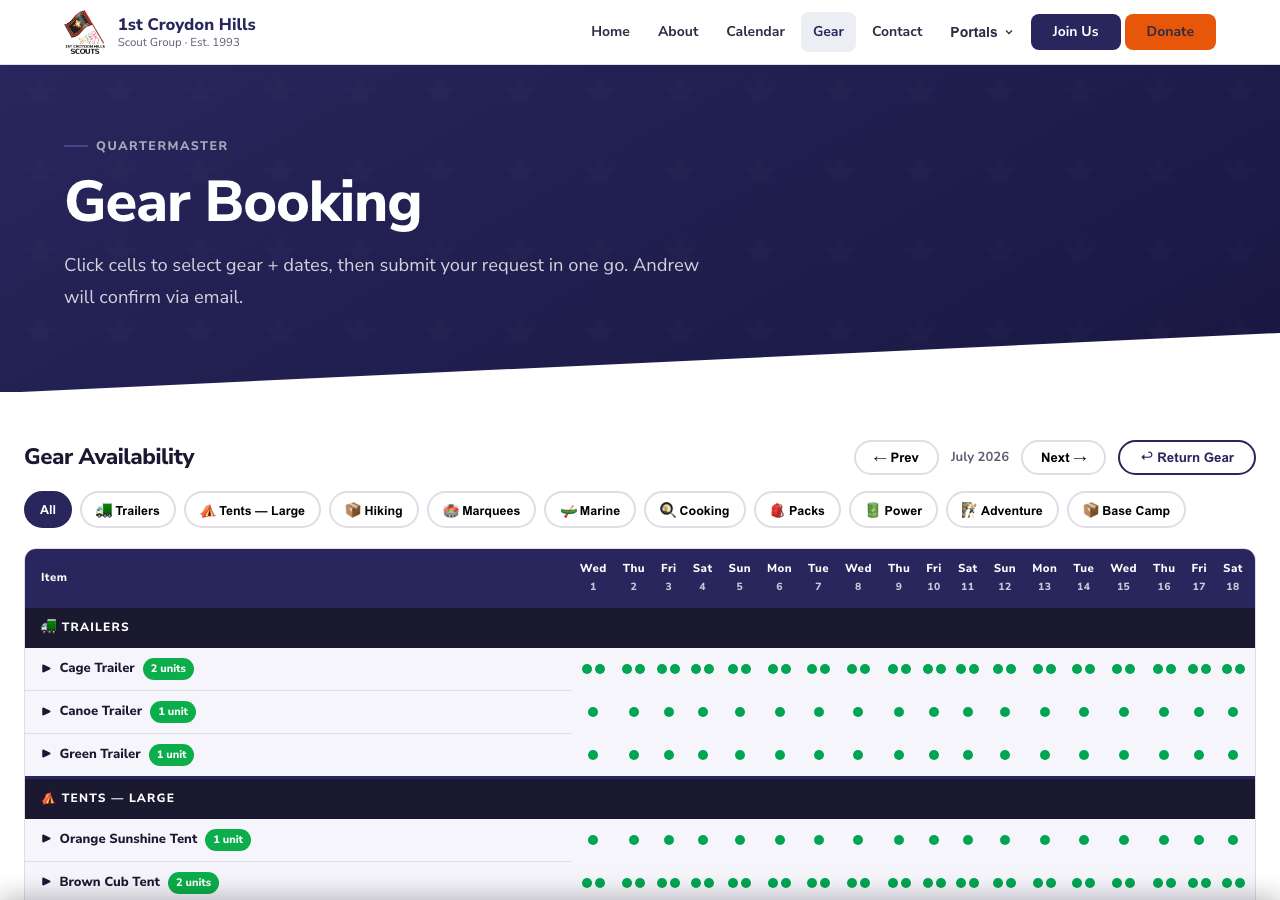
Items down the left, dates across the top, green dots = available.
Select your dates
Click a free (green) cell to select that item for that day — it highlights. Keep clicking to add more days, and repeat across any other items you need. Your selection builds up in a cart bar at the bottom of the screen.
Submit your request
When your cart looks right, tap Book, add your name and a note about the activity, and send. The Quartermaster gets your request and confirms by email.
Returning gear
When you bring gear back, use the Return Gear button (top-right of the calendar) so the Quartermaster knows it's back and can flag anything needing repair.